
Using an Allocation Screen
Allocation Screens are visual scheduling tools used to organise and assign work. They allow you to plan jobs based on available skilled persons or external suppliers, ensuring tasks are scheduled efficiently and resources are used effectively.
How Roles Drive Allocation Screens
Roles are created in the system to determine which people can be assigned to which mobile jobs and appear on each Allocation Screen. When scheduling work, the system automatically matches the job type to the correct role:
Inspection Allocation → Yard Staff
Transport Allocation → Drivers
Service Allocation → Technicians
You will have to assign specific Roles to either Skilled Persons or External Suppliers so they appear on the relevant Allocation Screens.
Breaking Down the Allocation Screens
Unscheduled Work (Left Panel) – Displays jobs that have not yet been assigned.
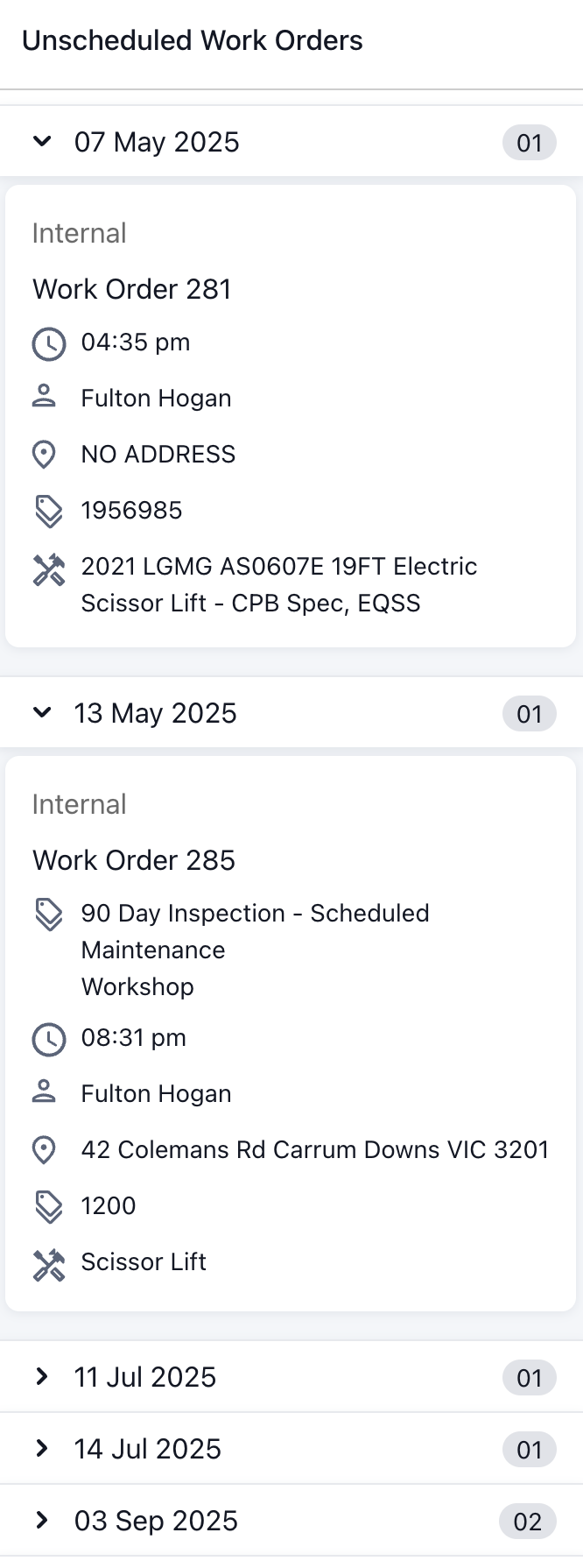
Schedule (Right Table) – Organised by date/time (columns) and skilled persons (rows).
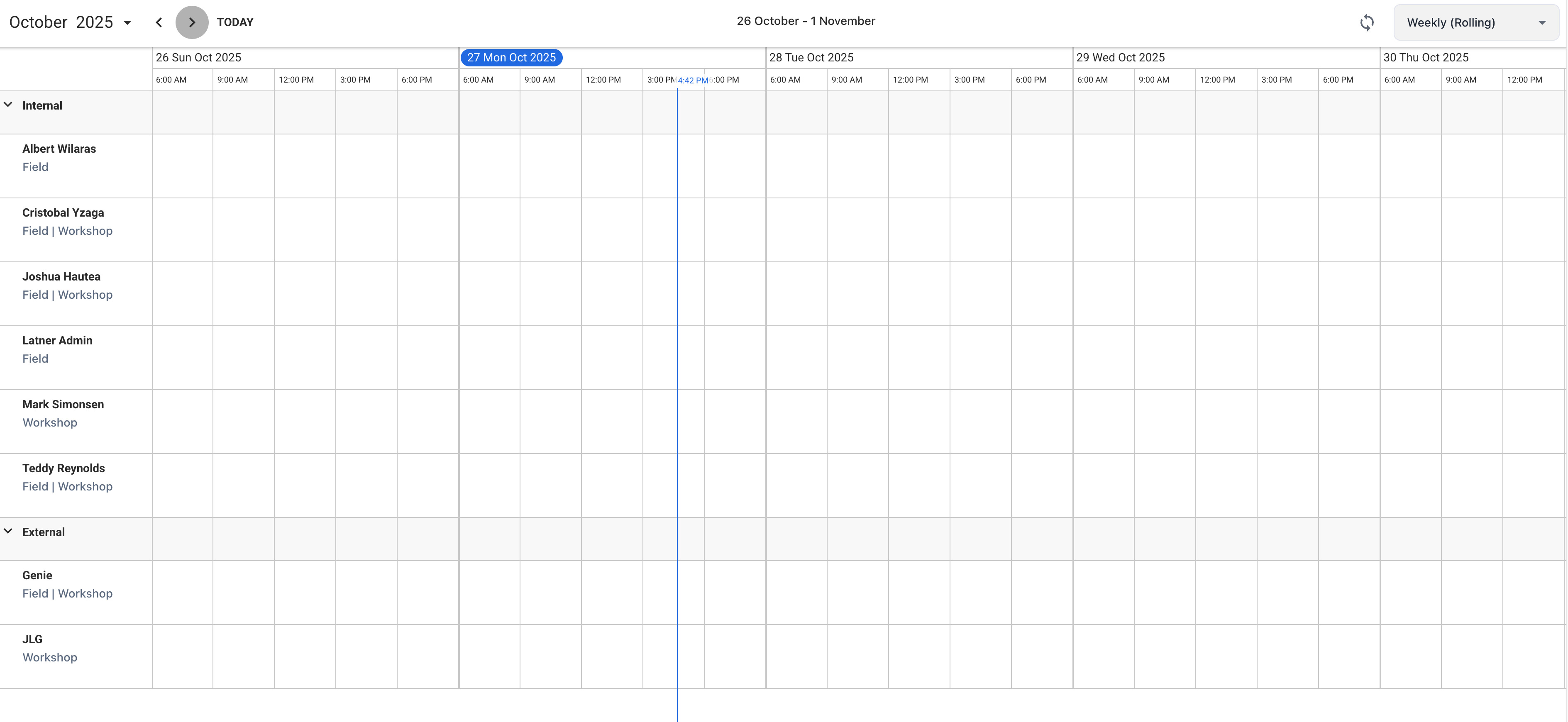
Jobs can be dragged or assigned from the left panel into the schedule grid on the right. They can also be rescheduled while in the schedule grid.
Allocation Screens view can be adjusted on the top right corner of the table to suit your planning needs: Daily, Rolling Weekly, Work Week
The screen can be set to refresh automatically at intervals, ensuring you always see the latest updates as changes are made. 
Filters (Top Fields) – Work can be filtered by criteria such as job type, branch, or status.
