January 2026
Welcome to the January 2026 release of Latner Software - our first release of the year! We’re excited to continue partnering with you throughout 2026 and look forward to another year of growth and improvement together.
This release delivers several highly requested enhancements across Supplier Invoicing, Financials Year Depreciation, Timesheet Dashboard and general workflow refinements. Please see below for the full details of what has changed.
New Features
Financial Year Depreciation
Managing asset depreciation across financial years is now significantly easier and more transparent. This enhancement introduces a dedicated Financial Year Depreciation workflow that allows you to calculate, review, and post depreciation values aligned with your organisation’s financial calendar.
The system now automatically determines the correct depreciation period based on your configured financial year, ensuring consistency across reporting, asset valuation, and compliance requirements.
This feature is especially useful for businesses that need to reconcile asset values at year‑end or prepare financial statements with accurate, system‑generated depreciation data.
Timesheet Dashboard
This introduces a dedicated reporting tab that visually summarises total hours worked through a clear bar‑graph view, giving managers an immediate snapshot of labour activity across the business. The dashboard can be refined using filters for Skilled Person, Source, Branch, and date range, allowing teams to quickly isolate trends or gaps. Grouping options make it easy to compare performance across individuals or locations, while the Source filter provides a practical way to analyse lost time by showing where timesheets originated and highlighting entries that may be missing or under‑reported.
Supplier Invoice Improvements
You can now reopen supplier invoices that were previously marked as disputed or approved, allowing corrections or additional processing when required.
Completed supplier invoices can now be cancelled when necessary, providing greater flexibility and control over invoice management.
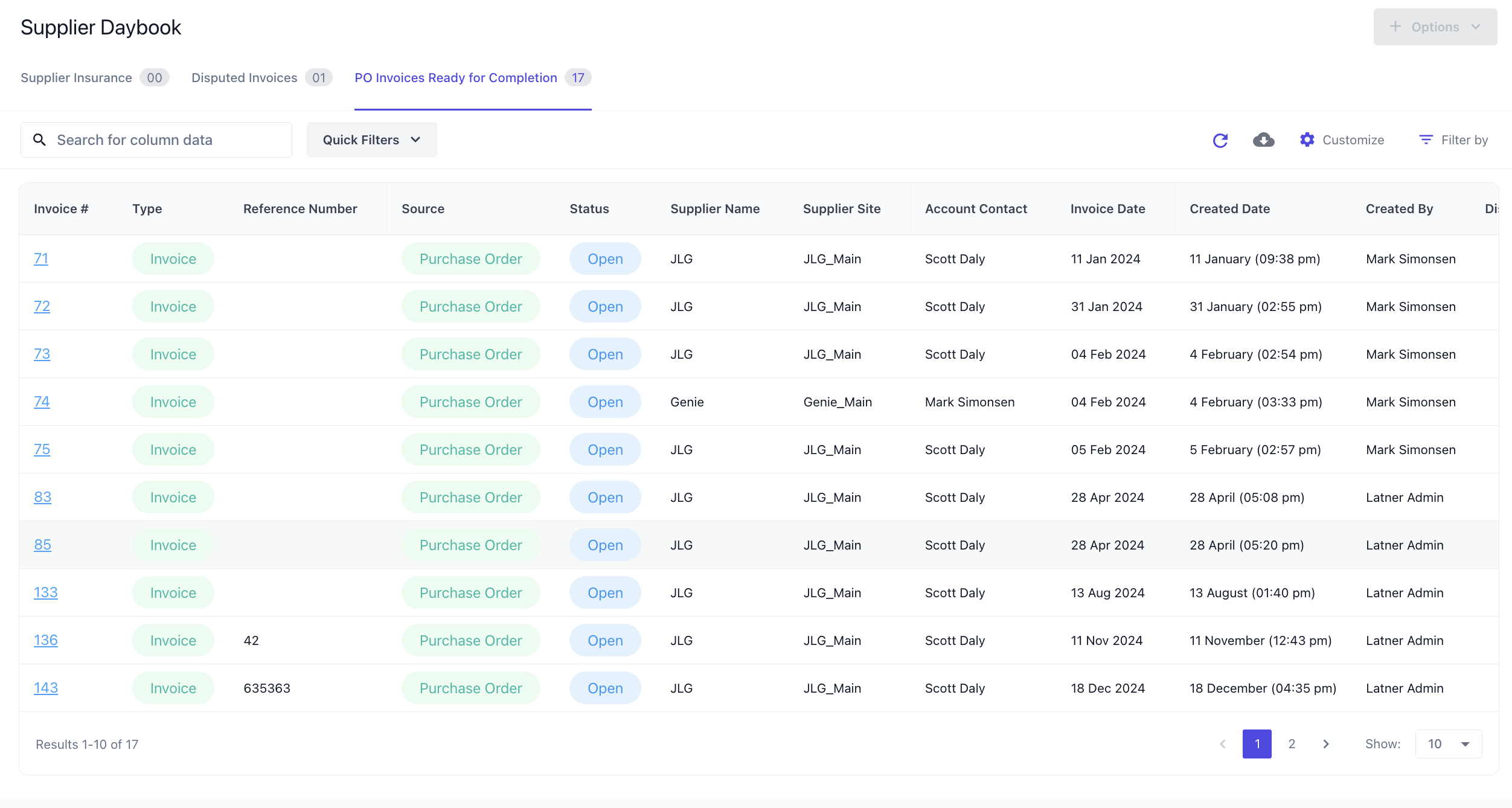
The Supplier Daybook now supports viewing open invoices that have been fully receipted for improved visibility and reconciliation.
Other Updates & Improvements
Sub Hire Delivery Dockets now default to the Supplier Address
Purchase Orders now use Supplier Part Numbers where available
Rental Contract Number added to Stand Down email template for Suppliers
Weight added as a field on Equipment Details
Equipment Details now display Next Service Due (Date/Meter Reading)
Pre‑Sale Inspections included in Mobile Run‑Up Inspections filter
Public Portal Service & Inspections now sorted by most recent entries
Inspection Notes now visible directly from the Inspection List View
Type filtering added to Asset Depreciation Run
Supplier Name added to Active Contracts List in the Rental Daybook
On Hire Report now uses the Rental Contract Contact
Rental Contract E‑Signatures now supported for Active Contracts after Reserved
Work Order Status and Tech Status now linked when completing or cancelling
Bulk emailing of Credit Notes is now supported
Additional details can now be added to Transport Collections
Plus a range of smaller fixes and performance improvements